
Why Multi-Site SMBs Face a Different Backup Problem
Most backup guides are written for a single office. But running two, three, or five locations multiplies the complexity — and the risk — in ways that single-site comparisons never address.
At a single office, a failed server means downtime at one location. At a regional dental group with five practices, or a logistics company with dispatch hubs in Austin, San Antonio, and two satellite offices, a failed server without a tested recovery plan can halt operations across the entire organization simultaneously. Each site is a potential point of failure: local hardware, network connectivity, power, and physical security all vary by location.
Managing network infrastructure across multiple sites adds another layer. Without centralized visibility, a backup job that silently fails at a branch office may not be discovered until a disaster forces a restore attempt — and by then, months of data could be unrecoverable. Industry data shows that 58% of recovery attempts fail when backups have not been regularly tested.
Multi-site SMBs also struggle with hardware logistics. When a server fails at a remote location, shipping replacement equipment overnight and restoring from cloud backup can take 24–48 hours without pre-staging. That downtime window is unacceptable for most businesses.
Finally, compliance adds pressure. Healthcare practices and other regulated businesses operating managed IT services for small businesses across multiple locations must demonstrate that every site meets the same backup and recovery standards — not just headquarters. HIPAA auditors don’t grant exceptions for branch offices.
This guide covers seven backup and disaster recovery solutions evaluated specifically for multi-site SMBs, including the one option most generic lists leave out entirely.
What to Look for in a Backup and Disaster Recovery Solution
Before selecting a platform, it helps to understand the two variables that define whether your business can actually survive a disaster — and the foundational strategy every credible vendor builds on.
RTO and RPO: The Two Numbers Every SMB Owner Must Understand
Recovery Time Objective (RTO) is how long your business can tolerate being offline. Recovery Point Objective (RPO) is how much data you can afford to lose — measured in time. A 4-hour RTO means you must be operational within 4 hours. A 1-hour RPO means your backups must run at least hourly, so you never lose more than 60 minutes of transactions.
For multi-site businesses, RTO and RPO need to be defined per site and per system — not as a single blanket figure. A point-of-sale server at a dental office has a very different tolerance than an internal file share. Defining these numbers first forces you to select a backup and disaster recovery solution that can actually meet them, rather than discovering the gap mid-crisis.
The 3-2-1 Rule (and Why 2026 Demands More)
The 3-2-1 backup strategy remains the industry baseline: keep three copies of your data, on two different media types, with one copy stored off-site. For multi-site businesses, that off-site copy is typically a cloud backup tier, while the on-site copy lives on a local appliance or network-attached storage (NAS) device at each location.
But in 2026, ransomware operators routinely target backup repositories first — encrypting or deleting backup data before demanding payment. The modern extension is the 3-2-1-1-0 rule: add one immutable (air-gapped) copy that cannot be modified or deleted, and verify zero failed restore tests. Immutable backups stored separately from your primary cloud environment are no longer optional for businesses in regulated industries or those handling sensitive client data.
1. Datto SIRIS: Best All-in-One BCDR Appliance for Multi-Site SMBs
Datto SIRIS is an on-premises backup appliance paired with replication to the immutable Datto Cloud — a combination purpose-built for businesses that need local recovery speed and off-site disaster protection. It covers physical servers, virtual machines, and cloud workloads, which matters when multi-site businesses mix environments across locations.
Key strengths for multi-site deployments:
- Appliances can be deployed at each site, all managed from a single centralized dashboard
- Verified screenshot backup testing confirms recoverability automatically — no manual restore drills required
- Instant local virtualization lets you boot a failed server directly from the appliance while the physical machine is replaced
- Hot spare hardware can be shipped to a failed site while the appliance handles continuity
Limitations: Datto SIRIS is sold exclusively through managed service providers — it is not available for direct purchase. Pricing is bundled into MSP agreements and varies by appliance size and data volume. Businesses without an MSP relationship need to source a partner first.
Best for: Multi-site SMBs running Windows Server environments who want appliance-based local recovery combined with immutable cloud backup, and who are already working with or willing to engage an MSP.
2. Veeam Backup & Replication: Best for VM-Heavy SMB Environments
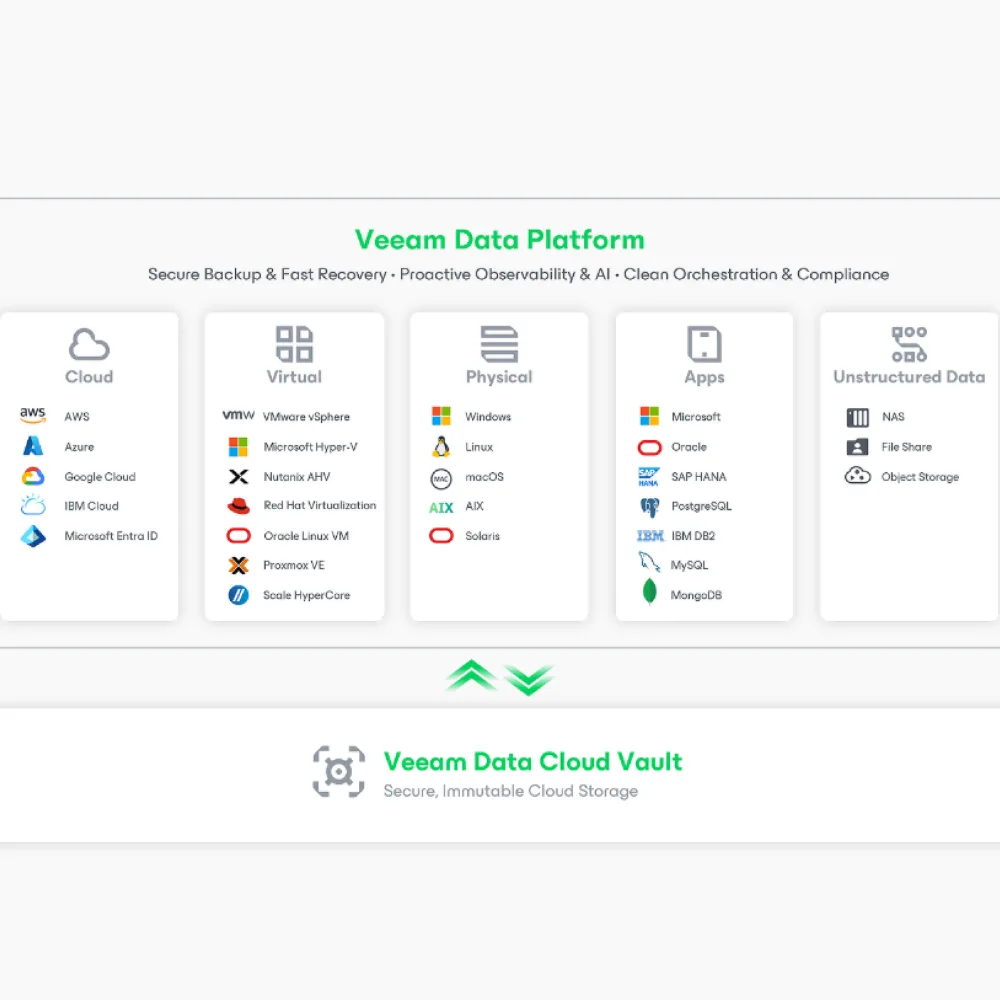
Veeam Backup & Replication is widely considered the gold standard for VM backup, with support for VMware vSphere, Microsoft Hyper-V, and physical servers. For multi-site SMBs running virtualized infrastructure, it delivers enterprise-grade capabilities at a per-socket price structure that stays affordable as the environment grows.
Key strengths:
- Instant VM Recovery boots a virtual machine directly from backup in seconds, minimizing RTO dramatically
- Immutable backup repositories prevent ransomware from corrupting backup chains
- Backup Copy Jobs replicate data to a secondary site or cloud automatically, enabling true 3-2-1 architecture
- Compression and deduplication typically reduce storage consumption by 70–80%
- Starting price of approximately $15 per socket per year for licensing, with cloud storage costs added separately
Limitations: Veeam has a steep learning curve and requires technically capable IT staff to configure and manage properly. Setup for a multi-site environment can take several days. It is overkill for offices with no virtual infrastructure. Organizations without internal IT staff will need an MSP or consultant to operate it effectively.
Best for: SMBs with VMware or Hyper-V environments across multiple locations who have IT staff — or an MSP managing IT on their behalf — capable of handling the configuration.
3. Acronis Cyber Protect: Best for Endpoint + Ransomware Protection
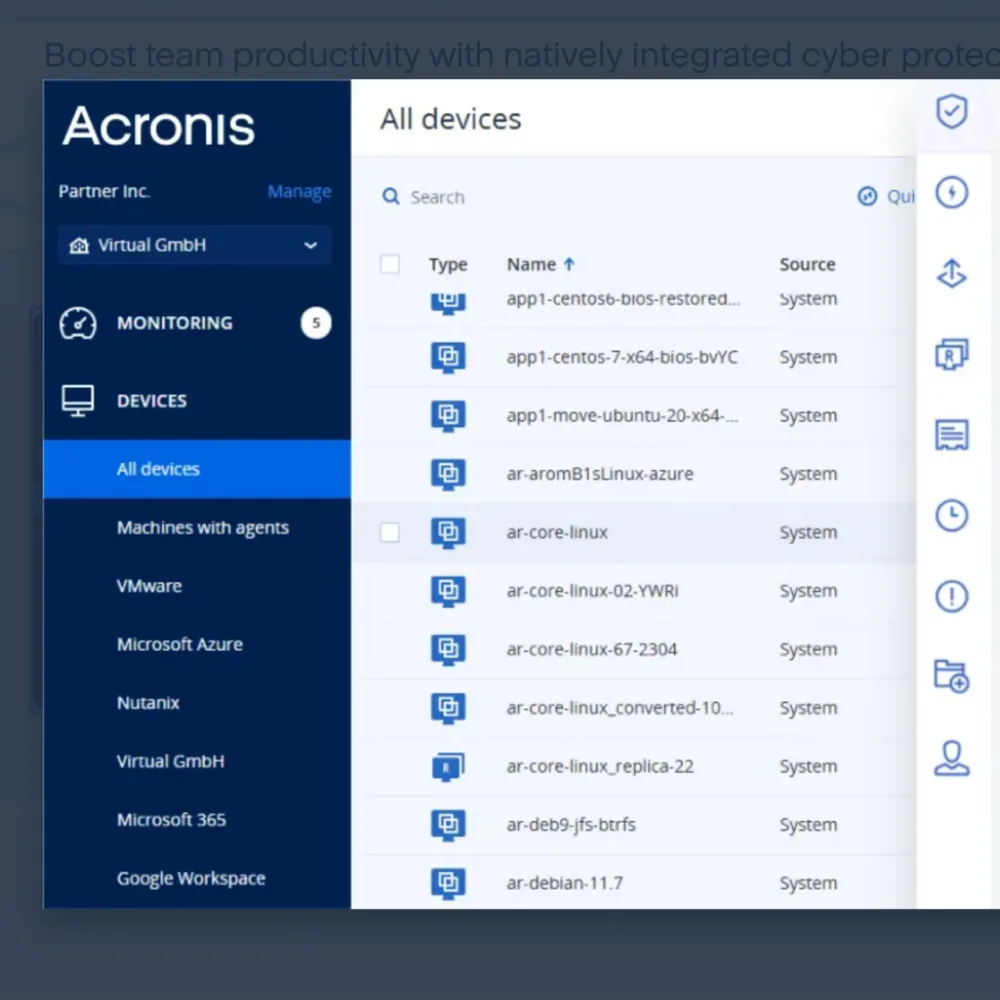
Acronis Cyber Protect combines backup, active malware detection, and disaster recovery into a single agent — an architecture that addresses a gap most backup tools leave open. While other platforms protect your data after a ransomware attack by having clean backups available, Acronis uses machine-learning-based active protection to detect and block suspicious encryption behavior before it spreads.
Key strengths:
- All-in-one platform consolidates backup, endpoint security, and disaster recovery, reducing the number of tools to manage across sites
- Full disk imaging enables complete system recovery, not just file-level restores
- SOC 2, HIPAA, and GDPR compliance certifications built in — useful for healthcare practices managing hipaa compliance services across locations
- Cloud storage is included in subscription pricing (typically 250 GB per device), eliminating separate storage billing
- Pricing runs approximately $100–$150 per device per year at the Advanced and Premium tiers
Limitations: The active protection agent consumes CPU resources during scans, which can slow older workstations. For environments with complex VM infrastructure, Acronis is less feature-rich than pure backup platforms like Veeam. The learning curve increases once you use all available features.
Best for: Multi-site SMBs — particularly dental offices, healthcare practices, and professional service firms — that want a single platform handling backup and endpoint ransomware protection without managing separate security tools.
4. Axcient x360Recover: Best for MSP-Managed Multi-Location Fleets
Axcient x360Recover combines backup, business continuity, and disaster recovery into a single platform specifically architected for managed service providers managing clients across multiple sites. Its chain-free backup technology eliminates the backup chain management overhead that makes traditional image-based backup complex to maintain at scale.
Key strengths:
- Chain-free architecture means any recovery point is self-contained — corrupted earlier backups cannot break access to later ones
- Immutable cloud storage and AirGap recovery protect backup data from ransomware that specifically targets backup repositories
- Granular recovery options let technicians restore individual files, folders, or full systems from the same backup set
- Built-in HIPAA and GDPR compliance support, making it suitable for regulated multi-site businesses
- Centralized multi-tenant management dashboard gives MSPs visibility across every client location from one console
Limitations: Axcient is sold exclusively through MSPs — it is not available for direct business purchase. Pricing is not published and must be obtained through an MSP partner.
Best for: Multi-site SMBs already working with an MSP who want their provider to manage backup continuity across all locations through a single, centrally monitored platform.
5. Cove Data Protection (N-able): Best Lightweight Cloud-First Option
Cove Data Protection, formerly SolarWinds Backup and now part of the N-able portfolio, takes a cloud-first approach to backup — primary backup goes directly to the cloud rather than a local appliance. This reduces hardware cost and complexity at each site, which is particularly valuable for businesses adding new locations incrementally and managing network infrastructure across sites without a large IT budget.
Key strengths:
- Cloud-first design means no backup appliance hardware to procure and maintain at each site
- Storage-per-device pricing model is straightforward and scales predictably as locations are added
- Supports Windows servers, workstations, and Microsoft 365 data from a single management interface
- MSP-oriented centralized dashboard provides visibility across all protected endpoints, regardless of site
- Recovery performance is competitive for cloud-based restore, though slower than appliance-based local recovery
Limitations: Without a local appliance, recovery from a complete server failure requires downloading from cloud storage — recovery speed depends entirely on internet bandwidth at the affected site. This makes it less suitable for businesses with strict sub-4-hour RTO requirements or locations with slow internet connections.
Best for: Growing SMBs adding locations over time who want a lightweight small business backup solution without the capital cost of appliances at every site, and who can tolerate a cloud-speed recovery window.
6. Backblaze Business Backup: Best Budget Option for File-Level Cloud Backup
Backblaze Business Backup is the simplest and most affordable cloud backup option available — $8 per device per month, with unlimited storage, no contracts, and virtually no setup complexity. It offers continuous backup as files change, version history, and an online portal for file recovery.
Key strengths:
- Unlimited storage per device at a flat rate — no per-gigabyte charges regardless of data volume
- Continuous backup captures file changes in near-real-time, reducing data loss exposure
- Cross-platform support covers Windows, Mac, and Linux endpoints
- 15-day free trial available; no long-term contract required
Limitations: Backblaze Business Backup covers workstation and laptop files only — it does not back up servers, virtual machines, databases, or application data. There is no appliance option, no granular application recovery, and no system image capability. Recovery requires downloading files from the cloud, which can be slow for large datasets. It does not meet the full requirements of a business continuity and disaster recovery (BCDR) plan on its own.
Best for: Small offices needing basic, affordable file-level backup for employee workstations as a complement to a broader server and application backup strategy — not as a standalone backup and disaster recovery solution for multi-site operations.
7. Managed BDR Through a Local MSP: Best for SMBs Without Internal IT Staff
Every platform on this list requires someone to configure it, monitor it, test it regularly, and respond when something fails. For multi-site SMBs without a dedicated IT team — which describes most businesses under 100 employees — that operational gap is where backup strategies collapse.
This is where managed backup and disaster recovery through a local MSP delivers something software alone cannot: accountability. When backup is managed as part of an all-inclusive IT engagement, the MSP owns the monitoring, the testing cadence, the restore verification, and the response. You know immediately when a backup fails because your provider notifies you — not because you discovered the failure three months later during a crisis.
Foris LLC offers managed IT services for small businesses across the Austin and San Antonio, TX metros with backup testing and disaster recovery embedded directly into daily operations. Foris is an Acronis Partner, which means backup, restore, and recovery workflows are deployed and monitored using enterprise-grade tools — not consumer-grade software that business owners manage themselves.
Several capabilities make Foris’s approach particularly suited to multi-site and remote-location scenarios:
24/7 AI-Assisted Monitoring — Foris uses AI-assisted monitoring across all protected endpoints and servers, meaning backup failures, storage anomalies, and infrastructure issues are detected proactively rather than discovered reactively. One Google reviewer described it directly: “their expertise in hardware replacement and online backups makes it easy to recommend their high-quality work.”
Hot Spare Hardware Readiness — For businesses with remote locations across Texas, Colorado, and Arizona, Foris pre-configures hot spare hardware that can be overnighted to a failed site. A server failure at a satellite office doesn’t wait for a procurement cycle — replacement hardware ships the same day, and the restore begins the moment it arrives. This is one of the most concrete differentiators for multi-site businesses that generic backup software cannot replicate.
Proprietary Management Software — Foris uses owned management software that provides deeper visibility and faster fixes than typical resale platforms, giving technicians real-time status across all backup jobs at every protected location from a single pane of glass.
Backup Testing Built In — Foris includes backup testing as part of its HIPAA and PCI controls, audits, and staff training integrated with security hardening and backup testing — meaning restores are verified on schedule, not just assumed to be working.
No Long-Term Contract — Managed IT services san antonio and Austin clients can engage Foris without committing to a long-term contract, which lowers the barrier for businesses evaluating a transition from DIY backup to fully managed protection.
For businesses that want predictable monthly costs and a single partner responsible for helpdesk, servers, networks, phones, backups, and vendor coordination, managed BDR through Foris removes the operational burden entirely. Learn more about Foris’s backup and managed IT services.
HIPAA Compliance and Backup: What Healthcare and Dental Practices Must Know
For healthcare organizations and dental practices operating across multiple locations, backup is not just an IT function — it is a federal compliance requirement. HIPAA requires a documented Contingency Plan that includes a Data Backup Plan, a Disaster Recovery Plan, and an Emergency Mode Operation Plan. Each must be tested regularly, revised after incidents, and retained as documentation for six years.
The practical requirements are specific. HIPAA mandates that organizations define Recovery Time Objective (RTO) and Recovery Point Objective (RPO) targets per system storing electronic Protected Health Information (ePHI). A dental practice’s EHR system, imaging server, and billing platform each require individual RPO/RPO documentation — and auditors expect tested restores that validate those targets, not just written policies.
AES-256 encryption is the expected standard for ePHI at rest and in transit. Immutable backups that cannot be modified or deleted are increasingly required to guard against ransomware that targets backup infrastructure. Business Associate Agreements (BAAs) must be signed with any vendor that processes or stores ePHI, including backup and cloud storage providers.
Multi-site dental groups and healthcare networks face a compounding challenge: every location must meet the same compliance posture, and documentation gaps at any site create organization-wide risk. Foris’s HIPAA compliance IT services integrate backup testing, access controls, security hardening, and staff training into daily operations — rather than treating compliance as an annual audit exercise that lives separately from the IT environment.
Practices in Austin, TX and across the San Antonio metro operate in a competitive healthcare market where a data breach or extended downtime caused by an inadequate backup plan carries both regulatory and reputational costs. For practices evaluating custom software development for healthcare workflows, HIPAA-compliant backup needs to be designed into the architecture from day one, not retrofitted later.
How to Choose the Right Backup Strategy for Your Business Size and Location Count
The right backup and disaster recovery solution depends on the combination of your location count, compliance requirements, internal IT capability, and recovery time tolerance. Use this quick reference to orient your decision:
| Scenario | Recommended approach |
|---|---|
| 1–2 locations, no compliance requirements, basic files | Backblaze Business + NAS for local copy |
| 1–3 locations, VM infrastructure, internal IT staff | Veeam Backup & Replication |
| 2–5 locations, endpoint focus, ransomware concern | Acronis Cyber Protect |
| Multi-location, MSP-managed, compliance requirements | Datto SIRIS or Axcient x360Recover via MSP |
| Growing locations, limited hardware budget | Cove Data Protection (N-able) |
| No internal IT staff, HIPAA-regulated, multi-site | Managed BDR through Foris LLC |
For businesses managing network infrastructure across locations — especially those in logistics, healthcare, or multi-site professional services — the technology choice matters less than whether that technology is actively monitored, tested, and supported by someone accountable for the outcome. A well-configured Veeam deployment left unmonitored for six months is less reliable than a simpler solution tested weekly by a dedicated MSP.
Businesses evaluating managed IT services for small businesses in Central Texas can start with a free Network Assessment from Foris to identify gaps in their current backup posture before selecting a platform. Universal City, Seguin, and Cedar Park businesses are all within Foris’s active service area.
Frequently Asked Questions
What is the difference between backup and disaster recovery?
Backup is the process of copying and storing data so it can be restored after loss. Disaster recovery is the broader plan and technology stack for restoring full business operations — including servers, applications, and network infrastructure — after a major disruption. Backup is a component of disaster recovery, not a synonym for it.
What is a good RTO for a small business?
Most small businesses target a 4-hour RTO for critical systems, meaning they must be operational within 4 hours of a failure. Businesses with point-of-sale systems, patient scheduling, or logistics dispatch may need a 1–2 hour RTO. Achieving sub-4-hour RTO typically requires a local backup appliance or hot spare hardware, not cloud-only recovery.
Do I need a separate backup solution for each office location?
Not necessarily. Platform-based solutions like Datto SIRIS and Axcient x360Recover deploy per-site appliances managed from a central dashboard. Cloud-first solutions like Cove Data Protection protect endpoints at any location without site-specific hardware. The right approach depends on your internet bandwidth at each site and your recovery time requirements.
What does HIPAA require for data backup?
HIPAA requires a documented Data Backup Plan, Disaster Recovery Plan, and Emergency Mode Operation Plan as part of the HIPAA Security Rule’s Contingency Plan standard. Organizations must define RTO and RPO targets for systems storing ePHI, test restores regularly, encrypt backup data using AES-256, and retain security documentation for six years. Business Associate Agreements must be in place with all backup vendors.
How often should backups be tested?
At minimum, restore tests should be conducted quarterly for critical systems. HIPAA-regulated organizations should test more frequently — monthly for high-priority systems — and document the results. Many MSPs include automated screenshot verification (as offered by Datto) or scheduled manual restore tests as part of their managed backup service.
Conclusion
For multi-site SMBs, backup and disaster recovery is not a software problem — it is an operational problem. The best platform in the world fails if no one is monitoring backup job status at every location, testing restores on a defined schedule, and ready to ship replacement hardware the same day a server fails at a remote site.
Software options like Veeam, Acronis, and Datto SIRIS give you the tools. But for businesses without dedicated IT staff — and for regulated industries where backup testing is a compliance requirement, not just a good idea — a fully managed approach eliminates the gap between having a backup solution and actually being protected.
Foris LLC provides all-inclusive managed IT for small and mid-sized businesses across Austin, San Antonio, and Central Texas, with backup testing, hot spare hardware, 24/7 AI-Assisted Monitoring, and HIPAA and PCI controls built into daily operations. Contact Foris for a free Network Assessment and find out exactly where your current backup posture has gaps — before a failure does.