
What to Look for in a Managed IT Services Provider for Small Business Security
For small businesses, security isn’t a bolt-on feature — it’s the foundation everything else sits on. Phishing, ransomware, and data breaches don’t discriminate by company size. According to IBM’s Cost of a Data Breach Report, the average cost of a breach for US organizations reached $10.22 million in 2025, an all-time high. Yet most small businesses still rely on a patchwork of individual tools and reactive break-fix support rather than a structured, proactive approach.
The right managed IT services for small businesses go well beyond tech support. They prevent incidents before they cost you money, keep your systems compliant, and ensure that when something does go wrong, recovery is measured in minutes — not days.
Before evaluating any provider, focus on these core criteria:
- Proactive vs. reactive posture — does the provider monitor and prevent, or only respond?
- Defined SLAs — what response time is guaranteed in writing?
- Compliance depth — can they handle HIPAA, PCI, or other frameworks your industry requires?
- All-inclusive pricing — are you paying a flat monthly fee, or will surprise invoices appear?
- Security integration — is cybersecurity built into daily operations, or sold as a separate add-on?
The eight services below represent the security-critical capabilities every small business MSP engagement should cover. Use them as both a checklist and an evaluation framework when comparing providers.
1. 24/7 Network and Server Monitoring
What it protects: Uptime, data integrity, and early threat detection
Network and server monitoring is the operational nervous system of any managed IT engagement. Tools continuously watch servers, workstations, firewalls, switches, and cloud services, flagging anomalies — whether that’s a failing drive, a suspicious login pattern, or a service that’s stopped responding. The critical distinction buyers often miss: 24/7 monitoring and 24/7 response are not the same thing. Many providers watch systems around the clock but staff their help desk only during business hours. An alert at 2 a.m. sitting in a queue until 9 a.m. isn’t monitoring — it’s logging.
When evaluating providers, ask what happens overnight: who receives the alert, where are they located, and what is the guaranteed response time? Look for providers with AI-assisted monitoring tools that automatically correlate alerts and reduce noise, so human technicians can focus on genuine threats rather than false positives.
For multi-site businesses or organizations with remote locations, server monitoring must extend uniformly across every site. Gaps in a branch office create the exact entry points attackers use to move laterally into headquarters systems.
A strong 24/7 AI-Assisted Monitoring setup should include continuous oversight of servers, network devices, and backups — with proactive issue detection, patch compliance tracking, and direct escalation to a helpdesk team that can act on alerts, not just acknowledge them.
2. Endpoint Protection and Patch Management
What it protects: Every device that touches your network — and your data
Endpoint protection has evolved well past antivirus software. In 2026, the minimum viable security posture for a small business includes Endpoint Detection and Response (EDR) — tooling that not only detects threats but actively contains them. According to Gartner’s 2026 Market Guide for MDR Services, 64% of midmarket organizations now consume security via Managed Detection and Response (MDR), up from 32% in 2023. For SMBs, this shift matters because EDR without a human reviewing alerts is just an expensive notification system.
Patch management is the quieter but equally critical component. Unpatched software is the most exploited attack vector in SMB breaches. Phishing attacks accounted for 84% of cyberattacks on small businesses in recent surveys, and a significant proportion succeed because attackers exploit vulnerabilities that had available patches. A good MSP automates patch deployment, validates that patches applied correctly, flags failed updates, and tracks compliance against your patch windows.
What to verify:
- Does the provider deploy patches automatically or require your approval every time?
- What is their mean time to patch for critical vulnerabilities?
- Do they cover mobile devices and remote laptops, not just office workstations?
Endpoint protection and software patch management should run as a unified program — not as separate tools from separate vendors.
3. Data Backup and Disaster Recovery
What it protects: Business continuity when everything else fails
Having a backup device is not the same as having a backup and disaster recovery solution. The difference becomes painfully clear during an actual recovery event. A true backup and disaster recovery solution requires three elements working together: effective pre-planning, a combination of on-site and cloud backup that creates geographic redundancy, and a documented post-event response plan your team has actually tested.
The statistics on this are sobering: 68% of small business owners don’t have a written disaster recovery plan, and even fewer regularly test the backups they do have. A backup that hasn’t been tested is a backup you can’t trust when it matters most.
For small business backup solutions, the key metrics to pin down before signing anything are your Recovery Time Objective (RTO — how long before you’re operational) and Recovery Point Objective (RPO — how much data are you willing to lose). Providers should be able to give you tested RTO/RPO benchmarks, not marketing claims.
The best MSPs treat backup monitoring and restore verification as distinct tasks. A backup job completing successfully and a backup that actually restores are two different things. Ask specifically: does the provider run test restores, and how often?
For business backup solutions that cover both on-site and cloud redundancy, the provider should also include backup hardware options and documented recovery procedures — not hand you a software tool and step back.
4. HIPAA and Compliance-Integrated IT Services
What it protects: Regulatory standing, patient data, and legal liability
For healthcare practices, dental offices, and any business handling payment data, compliance isn’t a project — it’s an ongoing operational requirement. And the risk is significant: according to the HHS Office for Civil Rights, healthcare breaches hit a record 745 reported incidents in 2025, with remediation costs averaging $10.93 million per breach for organizations of any size. A HIPAA fine alone can reach $1.9 million per violation category.
The common failure point is treating compliance as a separate audit exercise rather than embedding it into daily IT operations. Most small businesses handle HIPAA compliance services as a once-a-year checklist — a gap that regulators and plaintiffs’ attorneys both know how to exploit.
Effective compliance-integrated IT means HIPAA and PCI controls are embedded into daily operations: access controls enforced at the system level, audit logs maintained automatically, encryption applied to devices and email without requiring staff action, and staff training tracked and documented. When an auditor walks in, the evidence is already there — not scrambled together in the week before the review.
For businesses in sectors that require custom software development for healthcare — such as dental practices needing specialized patient management tools — compliance considerations must extend into the software layer as well. Similarly, organizations exploring custom software development for logistics need data handling controls built into their platforms from day one.
Key questions to ask any MSP about HIPAA IT compliance:
- Do you sign a Business Associate Agreement (BAA) on day one?
- Are audit-ready logs maintained automatically, or do we need to request them?
- Does compliance training for staff come with the engagement, or is it a separate line item?
See HIPAA IT compliance services that embed controls into daily operations — not bolted on as an audit afterthought.
5. Helpdesk Support with a Defined SLA
What it protects: Staff productivity and your ability to actually reach someone when something breaks
The managed IT services for small businesses market has a reputation problem: too many providers advertise “unlimited support” and then make it difficult to access. Technicians who don’t pick up phones, tickets that sit for hours, and the classic “everything looks good on our end” response are symptoms of providers whose business model depends on support being hard to use.
A genuine helpdesk commitment requires two things in writing: a response time SLA and a definition of what’s in scope. On response time, a 1-hour SLA target for helpdesk tickets is meaningful — 4-hour or next-business-day SLAs are not, for a business where a down system means lost revenue. On scope, watch for the fine print. Many “all-inclusive” agreements carve out entire categories of work as billable projects. True all-inclusive IT support means your recurring monthly cost stays predictable regardless of how many issues come up.
Managed services IT pricing typically ranges from $100–$300+ per user per month for fully managed IT in 2026, with the average sitting between $150–$200 per user. Compliance-heavy environments — healthcare, financial services — typically carry a 20–35% premium. For a 25-person company, expect $3,750–$5,000 per month for a comprehensive engagement.
The median annual salary for an in-house IT support technician exceeds $46,000, and that’s before benefits, vacation coverage, or the reality that one person can’t provide 24/7 coverage or breadth of expertise across networking, security, and compliance simultaneously. For most SMBs, a well-structured MSP engagement outperforms the in-house alternative on both cost and capability.
Learn more about what genuine helpdesk support looks like with a defined SLA and real escalation paths.
6. Network Infrastructure Management
What it protects: The foundation everything else runs on
Network infrastructure is the layer most small businesses underestimate until it fails. Managing network infrastructure means more than keeping the Wi-Fi running — it covers firewall configuration and updates, switch management, wireless access point health, SD-WAN for multi-site connectivity, VoIP quality, and capacity planning before bottlenecks hit productivity.
For any business with multiple locations, remote workers, or logistics operations that depend on reliable connectivity, a network infrastructure company that brings genuine depth — not just basic configuration and reactive troubleshooting — is the difference between infrastructure that scales and infrastructure that becomes a daily headache.
Enterprise-grade network management has historically been out of reach for small businesses due to cost and expertise. CCIE-level networking certification (Cisco’s highest routing and switching credential) is rare even in large enterprise IT departments. When an MSP brings that caliber of expertise to SMB clients, the result is a network designed for resilience, not just function — with proper segmentation that limits the blast radius if an endpoint is compromised, and redundant paths that prevent a single point of failure from taking down operations.
What good network infrastructure management includes:
- Firewall installation, configuration, and ongoing updates
- Network segmentation to isolate sensitive data (critical for HIPAA environments)
- Wi-Fi architecture and coverage audits
- VoIP support and phone system integration
- Bandwidth monitoring and capacity planning
See network and Wi-Fi audits for a complete assessment of your infrastructure gaps and performance baseline.
7. AI-Powered Security and Automation Tools
What it protects: Your data when employees start using AI tools without guardrails
Three out of four small businesses are now putting money into AI tools, and more than a third have them fully built into daily operations. But most SMBs adopt AI tool by tool and department by department, with no one governing how those tools touch client data or company systems. That gap is rapidly becoming a core security risk — and a core managed IT responsibility.
The specific threat: an employee pastes a patient record, a financial document, or a client contract into a public AI chatbot to speed up a task. That data is now outside your walls, with no way to retrieve it. For healthcare or financial services businesses, this is a HIPAA or SEC violation waiting to happen. For any business handling confidential client information, it’s a trust breach.
AI-powered IT monitoring addresses one side of the equation — using machine learning to detect anomalies faster than manual review allows, reducing alert fatigue, and enabling faster response to genuine threats. But the strategic security challenge is AI governance: which tools employees can use, what data is permitted to enter those tools, and what controls prevent accidental exposure.
The strongest MSPs in 2026 are building AI governance into their service offering: written policies, vendor vetting for data handling, and deployment of private AI infrastructure for clients whose data cannot leave the organization. Private LLM deployment — self-hosted large language models running entirely within a client’s own infrastructure — is the architectural answer for businesses handling regulated data. The AI operates with full capability, but the data never leaves the walls.
For businesses exploring AI consulting and adoption, the first step is an AI Readiness Review that identifies quick wins and data exposure risks before any tools are deployed.
8. Foris LLC — All-Inclusive Managed IT for Texas Small Businesses
Best for: Small to mid-sized businesses in Austin, San Antonio, and the Texas Hill Country that need a single, dependable IT partner with enterprise-grade capabilities — without enterprise pricing
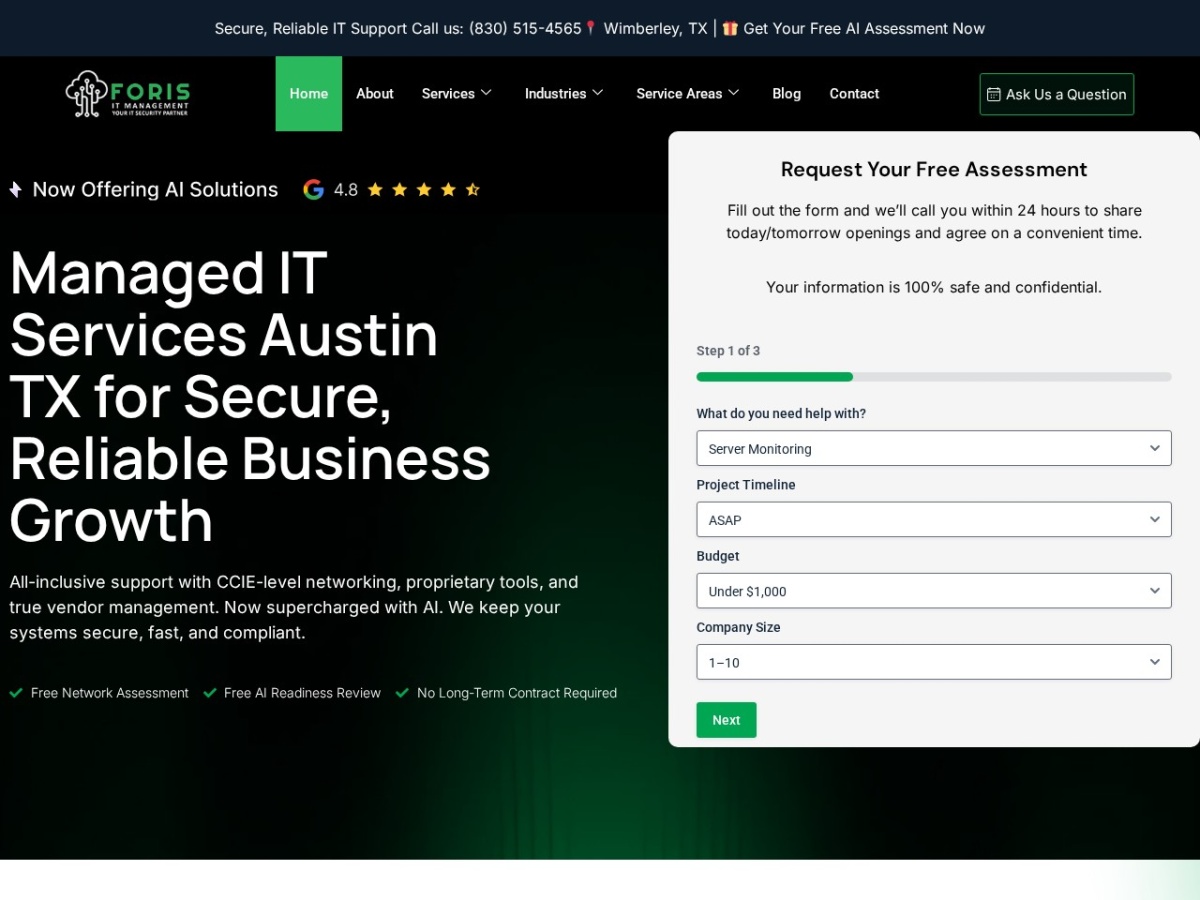
Founded in 2018 in Wimberley, TX, Foris LLC was built on a specific premise: small businesses in the Austin and San Antonio metro areas deserve the same caliber of IT management that large enterprises get — CCIE-certified networking, proprietary management software, embedded compliance controls — without the enterprise price tag or the enterprise bureaucracy.
The core offering is all-inclusive support: one partner for helpdesk, servers, networks, phones, backups, and vendor coordination. That last element — vendor coordination — matters more than most buyers realize. When something breaks and three vendors are pointing fingers at each other, a true IT partner owns the resolution, not the blame-shifting.
What makes Foris structurally different from typical MSPs:
- CCIE-Certified Networking — Cisco’s highest routing and switching credential is rare even at enterprise IT departments. Foris brings this expertise to SMB clients, enabling proper network segmentation, redundant path design, and infrastructure that handles multi-site operations cleanly.
- Proprietary Management Software — Most MSPs resell off-the-shelf RMM platforms. Foris built its own, providing deeper visibility, faster fixes, and tighter security than typical resale platforms. This means issues get spotted and resolved before clients notice them.
- 24/7 AI-Assisted Monitoring with a 1-hour helpdesk SLA target — not a best-effort window, a committed target.
- Hot Spare Readiness — Pre-configured replacement hardware can be overnighted to remote locations across Texas, Colorado, and Arizona, cutting the downtime that typically results from waiting on vendor shipping and IT setup.
- Compliance Focus — HIPAA and PCI controls, audits, and staff training are integrated with security hardening and backup testing — not treated as a separate consulting engagement. Dental offices and healthcare practices are a core specialty.
- AI-Powered Now — Foris extends its managed IT foundation with Microsoft Copilot rollout, private LLM deployment, AI receptionists for dental offices, and custom app development. These aren’t separate service lines bolted on — they’re delivered by the same team managing the underlying infrastructure.
Proven results: Foris clients average $44,000 in annual technology savings through stack audits that eliminate redundant tools, unused licenses, and misconfigured security products. Custom software projects are delivered in weeks, not months, at costs that have come in 60% lower than competing offshore quotes — with hosting included.
Pricing model: Flat monthly, no long-term contracts required. The engagement starts with a free Network Assessment and a free AI Readiness Review — both delivered before any commitment is made.
For managed IT services San Antonio and Austin businesses, Foris operates with 30-day notice terms: if the service isn’t earning the business, clients can move on without penalty. That’s a different posture than the 36-month lock-in contracts that define most of the managed IT services market.
See full managed IT services → | Learn about the Foris platform →
How Much Do Managed IT Services Cost for Small Businesses?
Managed services IT pricing in 2026 follows a per-user, per-month model for most fully managed engagements. Here’s what real pricing looks like across service tiers:
| Tier | Per User/Month | What’s Typically Included |
|---|---|---|
| Essential | $100–$150 | Helpdesk, monitoring, patch management |
| Standard | $150–$200 | Above + backup, endpoint protection, vendor management |
| Compliance | $200–$300+ | Above + HIPAA/PCI controls, compliance reporting, MDR |
For a 25-person company, expect $3,750–$5,000 per month for a comprehensive engagement. Compliance-heavy industries — healthcare, financial services — typically carry a 20–35% premium over baseline rates.
What drives pricing up:
- HIPAA or PCI compliance scope
- Multiple sites requiring on-site coverage
- After-hours response SLA requirements beyond standard windows
- AI security tools and private LLM infrastructure
Hidden costs to watch for: Onboarding fees, tooling license pass-throughs, and per-incident charges for incidents defined as “out of scope.” Always ask for an itemized list of what’s excluded from the base agreement before signing.
Flat-rate, transparent pricing is a feature, not just a preference. Consumption-based pricing models — where your bill spikes when you add employees or generate more tickets — make IT costs unpredictable precisely when your business is growing. Get the full pricing picture at Foris pricing.
Managed IT vs. Break-Fix vs. In-House IT: Which Is Right for Your Business?
The IT support model you choose determines your security posture more than any individual tool.
| Model | Best Fit | Monthly Cost | Proactive Monitoring | Compliance Support |
|---|---|---|---|---|
| Managed IT | SMBs with no internal IT, or those needing 24/7 coverage | $100–$300+/user | Yes, 24/7 | Yes, typically included |
| Co-managed IT | Businesses with existing IT staff needing additional coverage | $60–$250+/user + project fees | Yes | Yes, if contracted |
| Break-fix | Very small businesses with infrequent needs | Variable (per incident) | No | No |
| In-house IT | Organizations that can fully staff IT internally | $8,000–$14,000+/mo (salary + benefits) | Varies by team | Requires specialized hires |
For most small businesses — particularly those in regulated industries or running critical infrastructure — the break-fix model is the highest-risk option. It creates a financial incentive misalignment: the provider profits when things break, not when things run well. Proactive monitoring, security hardening, and compliance documentation are all non-billable under break-fix, so they simply don’t happen.
In-house IT is the other common alternative. The median annual salary for an IT support technician exceeds $46,000 before benefits — and one person cannot realistically provide 24/7 coverage, CCIE-level networking expertise, compliance program management, and AI governance simultaneously. Most SMBs that try the in-house route end up with a skilled generalist who is perpetually reactive and always one vacation away from a coverage gap.
For small businesses in Austin, San Antonio, and surrounding areas, managed IT services provide enterprise-grade protection at a predictable monthly cost — with the flexibility of no long-term contract requirements. Contact Foris LLC to discuss the right model for your situation.
Frequently Asked Questions
What is included in managed IT services for small businesses?
A complete managed IT services engagement covers 24/7 monitoring and proactive maintenance, helpdesk support with defined response SLAs, backup and disaster recovery, endpoint protection and patch management, network infrastructure management, vendor coordination, and compliance controls for relevant frameworks like HIPAA or PCI. Leading providers also include AI services — governance, Copilot deployment, or private LLM infrastructure — as the adoption of AI tools becomes a security and compliance concern in its own right. See Foris services for the full scope.
How much do managed IT services cost per user per month?
Managed IT services for small businesses typically cost between $100 and $300+ per user per month in 2026. The average sits between $150 and $200 per user for a standard engagement. Compliance-heavy environments — healthcare, financial services, defense contracting — carry a 20–35% premium. A 25-person company can expect to pay $3,750–$5,000 per month for comprehensive coverage. Always verify what’s included in the base price versus what triggers additional billing.
Do small businesses really need HIPAA compliance IT services?
Yes — if you’re a covered entity or business associate under HIPAA (which includes dental offices, medical practices, and their technology vendors), HIPAA IT compliance is a legal requirement, not an optional add-on. The HHS Office for Civil Rights recorded a record 745 healthcare breach incidents in 2025. Beyond regulatory risk, the practical protection HIPAA controls provide — access management, encryption, audit logging, incident response procedures — are sound security practices for any business, not just those facing audits. See HIPAA IT services for what a compliant IT program looks like in practice.
What is the difference between managed IT and break-fix IT support?
Break-fix IT charges per incident and responds only when something fails. Managed IT charges a flat monthly fee and proactively monitors, maintains, and secures your environment to prevent incidents from occurring. The business impact is significant: break-fix creates no incentive for the provider to invest in your security posture, while managed IT aligns the provider’s interests with yours — fewer problems means a sustainable engagement for both parties. For businesses with compliance requirements or uptime dependencies, break-fix is a structural mismatch.
How do I choose the best MSP for my small business?
Start by defining your requirements: industry-specific compliance needs, number of sites, remote work coverage, and AI adoption plans. Then evaluate MSP candidates on five factors: (1) written SLA with specific response time commitments; (2) flat-rate pricing with no scope carve-outs; (3) demonstrable compliance expertise in your specific frameworks; (4) references from businesses in your industry and size band; and (5) contract flexibility — a 30-day notice term signals a provider confident in their service. Request a free assessment before committing — reputable MSPs like Foris offer a free Network Assessment before any engagement begins.
Are managed IT services worth it for a business with fewer than 25 employees?
For most businesses under 25 employees, managed IT services deliver better security, faster response, and more predictable costs than the alternatives. The break-even calculation is straightforward: a single ransomware incident or compliance violation can cost more than several years of managed IT fees. Beyond risk, the productivity gains from proactive monitoring, fast helpdesk response, and vendor management typically generate measurable ROI within the first year. The only scenario where managed IT may not be the right fit is a very small business (under 5 employees) with minimal IT infrastructure and no regulatory requirements — in which case a co-managed or selective engagement may make more sense.
The Bottom Line: Securing Your Small Business Starts With the Right IT Partner
The eight services covered in this article — 24/7 monitoring, endpoint protection, backup and disaster recovery, HIPAA compliance, helpdesk with a defined SLA, network infrastructure management, AI security governance, and all-inclusive managed IT — form the security foundation every small business needs in 2026. None of them work in isolation. A strong backup program doesn’t protect you if your network is poorly segmented. Endpoint protection doesn’t matter if your staff is pasting patient records into public AI tools. Compliance controls only hold up if they’re embedded into daily operations, not assembled the week before an audit.
The businesses that get this right aren’t necessarily the ones with the biggest IT budgets. They’re the ones with a single, dependable IT partner who owns all of it — monitoring, security, compliance, helpdesk, and now AI — under one predictable monthly cost.
For small and mid-sized businesses in Austin, San Antonio, and the Texas Hill Country, Foris LLC delivers exactly that: all-inclusive support with CCIE-level networking, proprietary management tools, and AI-powered now capabilities — with no long-term contract required to get started.
Start with a free Network Assessment and a free AI Readiness Review. Schedule your assessment →